How much of Cisco ISE 3.5 can you actually automate through the API?
Every policy we build in the BlueCore lab starts life as a design document and ends up as configuration on a policy server. On Cisco ISE the rule is simple: use the REST APIs by default, and drive the web interface with a browser-automation script only where the API genuinely cannot do the job. That keeps a build repeatable and lets the configuration live in version control next to the design.
The obvious question is where that line sits. We started with a list of objects we assumed would need the GUI, then measured it on a real node. This post is what we found.
Everything below was observed on ISE 3.5.0.527, patch 3, using the ERS API (port 9060) and the newer OpenAPI endpoints (port 443). Behaviour on other versions may differ.
The short answer
Almost everything a network access policy needs can be read and written through the API, including policy sets and their rules. A handful of things cannot, and a larger handful can but will fight you with misleading error messages. The most expensive lessons were not about coverage at all: they were about side effects the API never mentions.
What the API covers
Every row here was confirmed with an HTTP 200 and a parsed object count, and nearly all of them were then exercised with real writes during the build.
| Object | API | Path |
|---|---|---|
| Network devices | ERS | /ers/config/networkdevice |
| Endpoint identity groups | ERS | /ers/config/endpointgroup |
| Endpoints | ERS | /ers/config/endpoint |
| Internal users and user identity groups | ERS | /ers/config/internaluser, /ers/config/identitygroup |
| Authorization profiles and downloadable ACLs | ERS | /ers/config/authorizationprofile, /ers/config/downloadableacl |
| Certificate authentication profiles | ERS | /ers/config/certificateprofile |
| Identity source sequences | ERS | /ers/config/idstoresequence |
| Trusted and system certificates | OpenAPI | /api/v1/certs/... |
| Policy sets, authentication and authorization rules | OpenAPI | /api/v1/policy/network-access/policy-set/... |
| Conditions and dictionaries | OpenAPI | /api/v1/policy/network-access/condition, .../dictionaries |
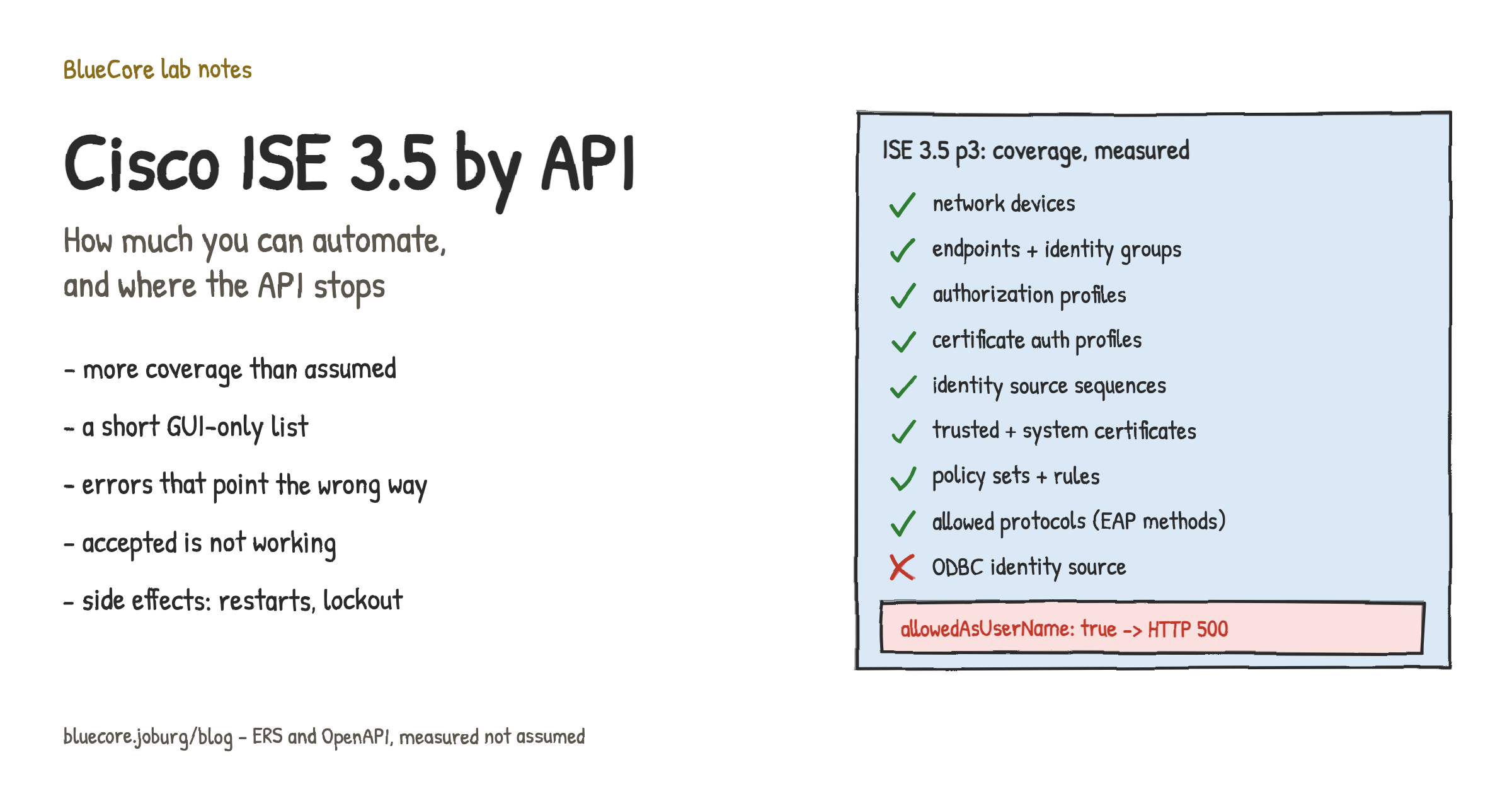
Five of those (certificate profiles, identity source sequences, trusted certificates, system certificates and policy sets) were on our "GUI only" list before we measured. Our assumption was too pessimistic, and it would have pushed a lot of work into fragile browser scripts for no reason.
One practical note: no OpenAPI specification is published on the node. The usual swagger.json and openapi.json paths return 404, so the working paths have to be found by probing and written down.
What still needs the GUI
Allowed protocols. You can list the allowed-protocols sets, but only by name. There is no way to read or change which EAP methods are enabled. For an EAP-TLS design that matters: the API cannot even tell you whether EAP-TLS is switched on.
ODBC external identity sources. There is no ERS resource and no OpenAPI path for them. Everything that references an ODBC source (identity source sequences, policy rules, authorization profiles that pull an attribute from it) is reachable. The source itself is configured in the GUI.
One flag on certificate authentication profiles. Setting allowedAsUserName to true returns HTTP 500 on both create and update, and nothing is created. This is a server-side fault, not validation. Create the profile with the flag off through the API and switch it on in the GUI. It is not a cosmetic flag either: without it, the certificate identity is never looked up in an identity store, so group-based rules for certificate users cannot match.
Errors that point you the wrong way
These are all reachable by API. They just cost time, because the error does not describe the problem.
- Angle brackets in any description return HTTP 400. Design documents are full of arrows like
ROLE -> SEGMENT. The error is a generic "Application resource validation exception" that names neither the field nor the character. Strip<and>before sending. - Trusted certificate import wants raw PEM, not base64. Base64-encoding the certificate returns HTTP 422 "No certificates were found in the imported certificate file", which reads like a bad certificate rather than a bad encoding.
- System certificate import validates mandatory fields one at a time. Each attempt fails on a single "must not be null". Two near-identically named portal flags turned out to both be required. Send the full flag set.
- Naming rules differ per object type. Certificate authentication profile names reject hyphens, while authorization profile names accept them.
- Enumerated values must be given by name.
Radius:Service-TypeequalsCall Checkis accepted; the numeric10fails with "Failed to convert condition". The same applies to extended key usage names:clientAuthworks,130does not. - The dictionary is called
Network Access, with a space. Asking forNetworkAccessreturns an empty attribute list instead of a 404, so a typo looks like a missing attribute rather than a missing dictionary. Enumerate the dictionaries and copy names verbatim. - The same custom attribute appears in two dictionaries, and only one works. A custom endpoint attribute shows up under both
CUSTOMATTRIBUTEandEndPoints. The first is rejected in authorization rules ("Condition attributes are illegal for requested scope"); the second works. - ERS lists paginate silently. An unfiltered list hid a group we had just created, so a lookup came back empty and an endpoint was created with no group at all.
size=100works,size=200returns a payload with no results section. Look endpoints up directly by MAC instead of paging. - ERS DELETE needs explicit JSON headers. Without
AcceptandContent-Typeset toapplication/jsonit returns 415 rather than deleting. - Dynamic VLAN from an attribute returns HTTP 500 with the obvious values. Pairing a dictionary-sourced
Tunnel-Private-Group-IDwithTunnel-Typeset toVLANor13fails. The tagged literals1:13and1:6work.
Accepted is not the same as working
The API validates syntax, not meaning. We built a rule that compared an SSID against an endpoint group name using contains, with the second operand taken from another attribute. ISE returned HTTP 201. The rule never matched anything.
Attribute-to-attribute comparison works with equals but not with contains, and nothing in the response says so. Every rule you create through the API needs a behavioural test: send a real authentication and check the result. A successful write proves only that the payload was well formed.
Side effects nobody warns you about
Creating an endpoint custom attribute restarts the application. The API returned 201 immediately. A moment later RADIUS stopped answering, the API went away and the GUI returned 502 for about fifteen minutes. On a production node that is an outage. Define custom attributes in a change window, before the rules that depend on them.
A stale password in an automation script locks the admin account. A capture script ran with an outdated credential and made one failed call per object. That burst locked the admin account on both nodes of the deployment, because lockout state replicates. The lock did not time out: it was still in force well over an hour later, and while locked, the correct password gets the same plain 401 as a wrong one. Recovery meant a CLI password reset, which restarts the application server for tens of minutes, during which authenticated API calls return 502 and look exactly like the lock is still there.
The fix is cheap: before any scripted run, test the credential with one call and stop on a 401. Never loop over objects with a credential you have not just proven.
If you do have to automate the GUI
The GUI residue is small, but it is not friendly to browser automation. Three things that will save you an afternoon:
- Use deep links, not menu clicks. The page adds hidden breadcrumb links as you navigate, so a text selector that works on a fresh session grabs an invisible element on the second run.
- A post-login dialog can sit invisible over the page and swallow every click, intermittently. Removing the element from the DOM is the only reliable fix.
- Drop-downs are Dojo widgets, not native selects. Filling the text field changes what you see but not the widget value, and the save fails with a validation error. Click the option in the pop-up list.
What we would tell someone starting out
- Assume the API covers more than the product documentation suggests, and measure before writing any GUI automation.
- Keep a findings log per version. Error messages will not tell you what went wrong, so your own notes have to.
- Test every rule by sending a real authentication, not by reading back the configuration.
- Treat schema changes such as custom attributes as change-window work.
- Guard every script against a bad credential before it touches the node.
The result on this node was a policy build that runs almost entirely through the API, with a short, documented list of GUI steps. That is a reasonable place to be, as long as you know where the edges are before you find them in production.